Epic FreeCell Solitaire1.34.0
Publisher Description
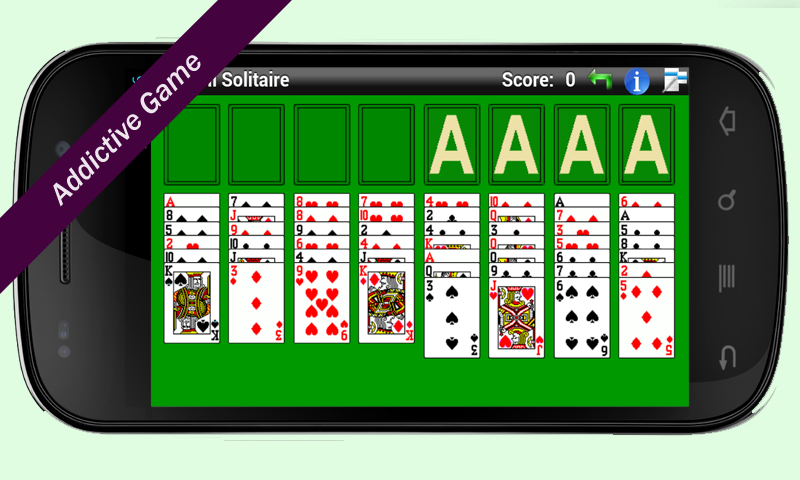
Epic FreeCell Solitaire is a fun and classic one player card game. The clean design and big cards make playing this game a breeze. This twist on the classic game of Solitaire will keep you entertained for hours.
The cards will be moved to foundation automatically when possible. The scoring is also changed - only number of moves counted - the lower the score - the better.
Within the tableau, cards are built down in sequence and alternating in color. Any card may be moved into an empty space.Blocks of cards may not be moved, unless the requisite number of free cells and/or tableau spaces are available to allow each individual card to be moved. To move part of partial pile, drag whole pile - the game will self adjust. If you fill all four foundation piles, you win.
If you love solitaire, spider solitaire, freecell, or any other patience card games, don't miss out on the best Epic FreeCell Solitaire for your phone and tablet! Just give the game a try, and we promise Epic FreeCell Solitaire is the most beautiful and user friendly solitaire game you've played before.
Any complaints or issues? Please send us a mail. We are listening and constantly updating Epic FreeCell Solitaire to make it perfect. We cannot reply to all Google Play reviews.
About Epic FreeCell Solitaire
The company that develops Epic FreeCell Solitaire is Rembang Apps. The latest version released by its developer is 1.34.0.
To install Epic FreeCell Solitaire on your Android device, just click the green Continue To App button above to start the installation process. The app is listed on our website since 2015-02-13 and was downloaded 4 times. We have already checked if the download link is safe, however for your own protection we recommend that you scan the downloaded app with your antivirus. Your antivirus may detect the Epic FreeCell Solitaire as malware as malware if the download link to com.ard.js.FreeCell is broken.
How to install Epic FreeCell Solitaire on your Android device:
- Click on the Continue To App button on our website. This will redirect you to Google Play.
- Once the Epic FreeCell Solitaire is shown in the Google Play listing of your Android device, you can start its download and installation. Tap on the Install button located below the search bar and to the right of the app icon.
- A pop-up window with the permissions required by Epic FreeCell Solitaire will be shown. Click on Accept to continue the process.
- Epic FreeCell Solitaire will be downloaded onto your device, displaying a progress. Once the download completes, the installation will start and you'll get a notification after the installation is finished.
